
Table of Contents
Creating a New Businessplan
Business plans can be started from the header create action, from an existing idea, or directly through /create-businessplan.
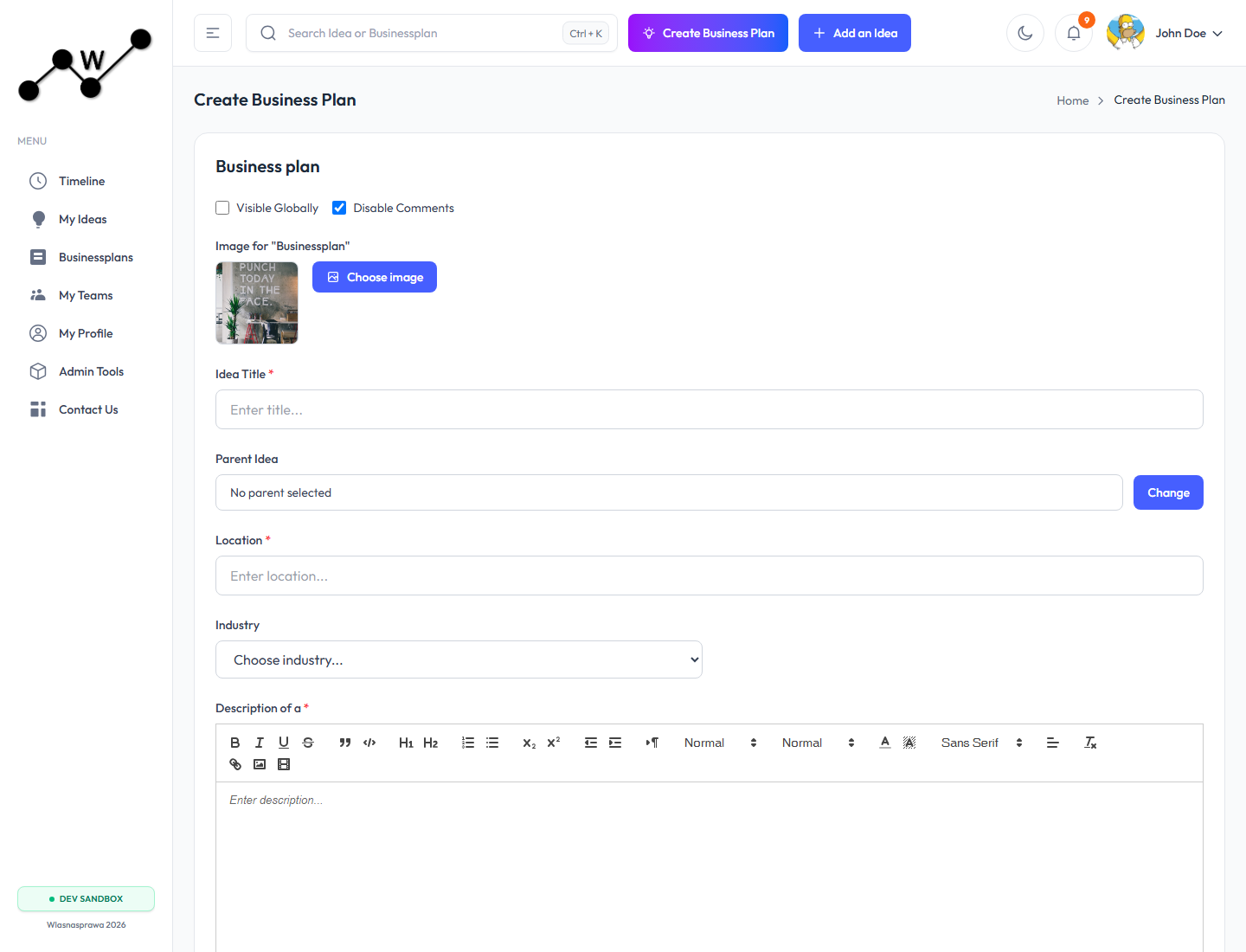
Creation Paths
The frontend supports several creation paths in the shared create-business-plan flow:
- Create a new parent idea and generate a related business plan.
- Select an existing idea and attach a new business plan to it.
- Create a standalone business plan without a parent idea.
- Start manually with an empty starter plan.
- Start from a saved template when plan templates are available.
- Use a description-assisted flow when the environment supports it.
The direct /create-businessplan route opens the business plan editor in create mode. It contains the post-level metadata first, then the financial business plan editor after the record is initialized.
Required Metadata
Before saving a new plan, provide the business-plan post fields:
| Field | Purpose |
|---|---|
| Title | The display name shown in lists and detail pages. |
| Parent idea | Optional link to an existing idea. |
| Location | Business or market location. |
| Industry and category | Used for classification and filtering. |
| Description | Human-readable summary of the business plan. |
| Visibility | Controls whether the plan is public or private. |
| Comments switch | Controls whether comments are enabled. |
| Image | Optional cover/preview image. |
After Creation
After the record is created, the app navigates to the business plan editor. The editor embeds the calculator component and stores the financial source data in businessplanSourceData.
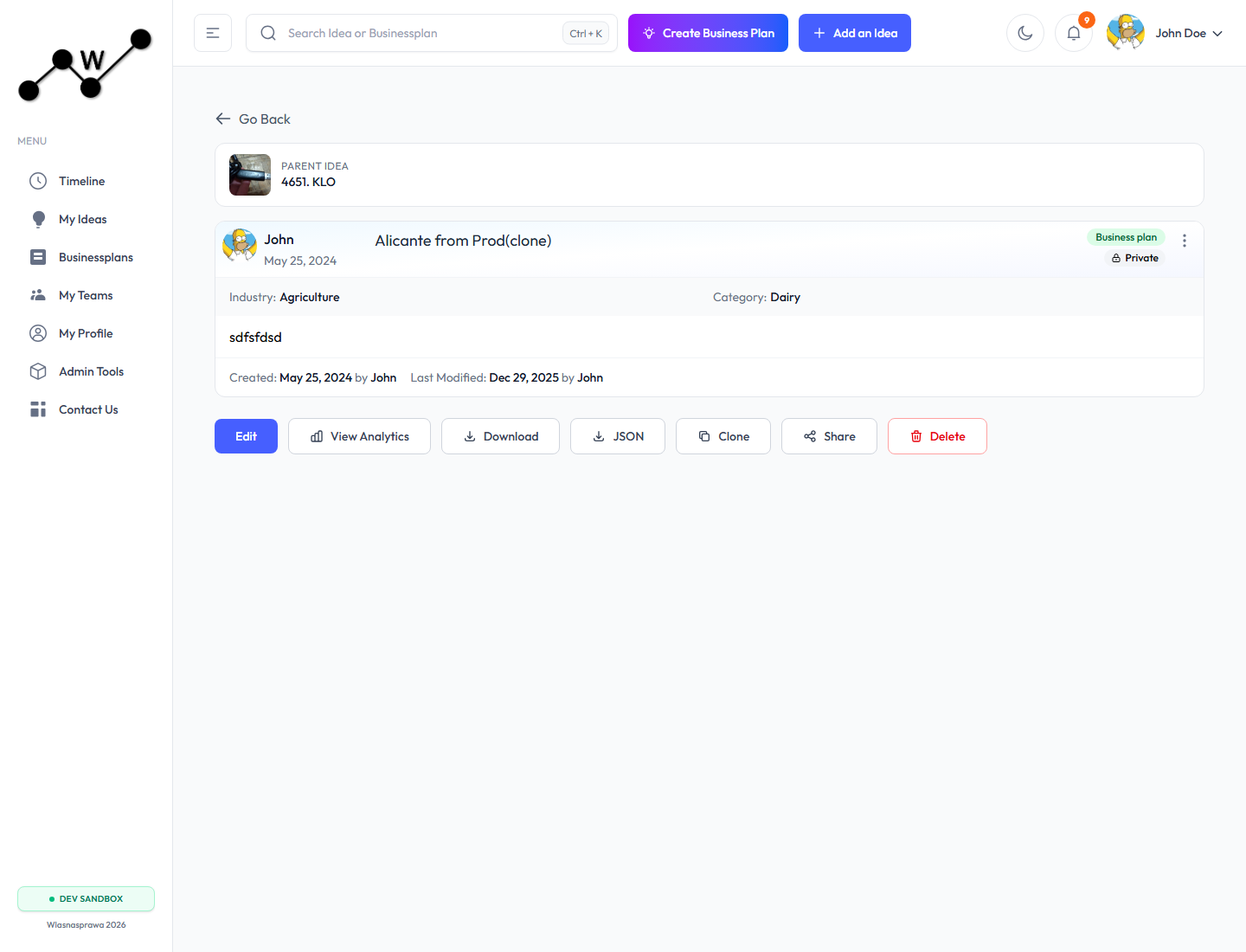
For owners, the plan detail page exposes these actions:
- Edit: open
/edit-businessplan/:id. - View Analytics: open
/view-analytics/:id. - Download: export flat calculated data.
- JSON: download raw plan JSON.
- Clone: create another plan from the current plan.
- Share: share the plan.
- Delete: remove the plan when allowed.
Draft Behavior
When users apply changes inside calculator sections, the editor saves a browser draft. If a newer local draft exists when the plan is reopened, the app can offer to restore it. Saving the plan writes the canonical source payload back to the API and clears the unsaved-draft state.
Free-Tier Period Limit
Free accounts can save business plans for up to 12 monthly periods. Pro accounts can model longer planning horizons.
Next
To understand how business plan assumptions are stored, see 04. What is Declarative Business Plan Format.
For a section-by-section guide to the calculator, see 05. Detailed Business Plan Calculator Walkthrough.